Personalization
Ainua Portal offers efficient capabilities for creating hyper-personalized user experience. This personalization starts from pages level and goes all the way to data level.
Accounts and users
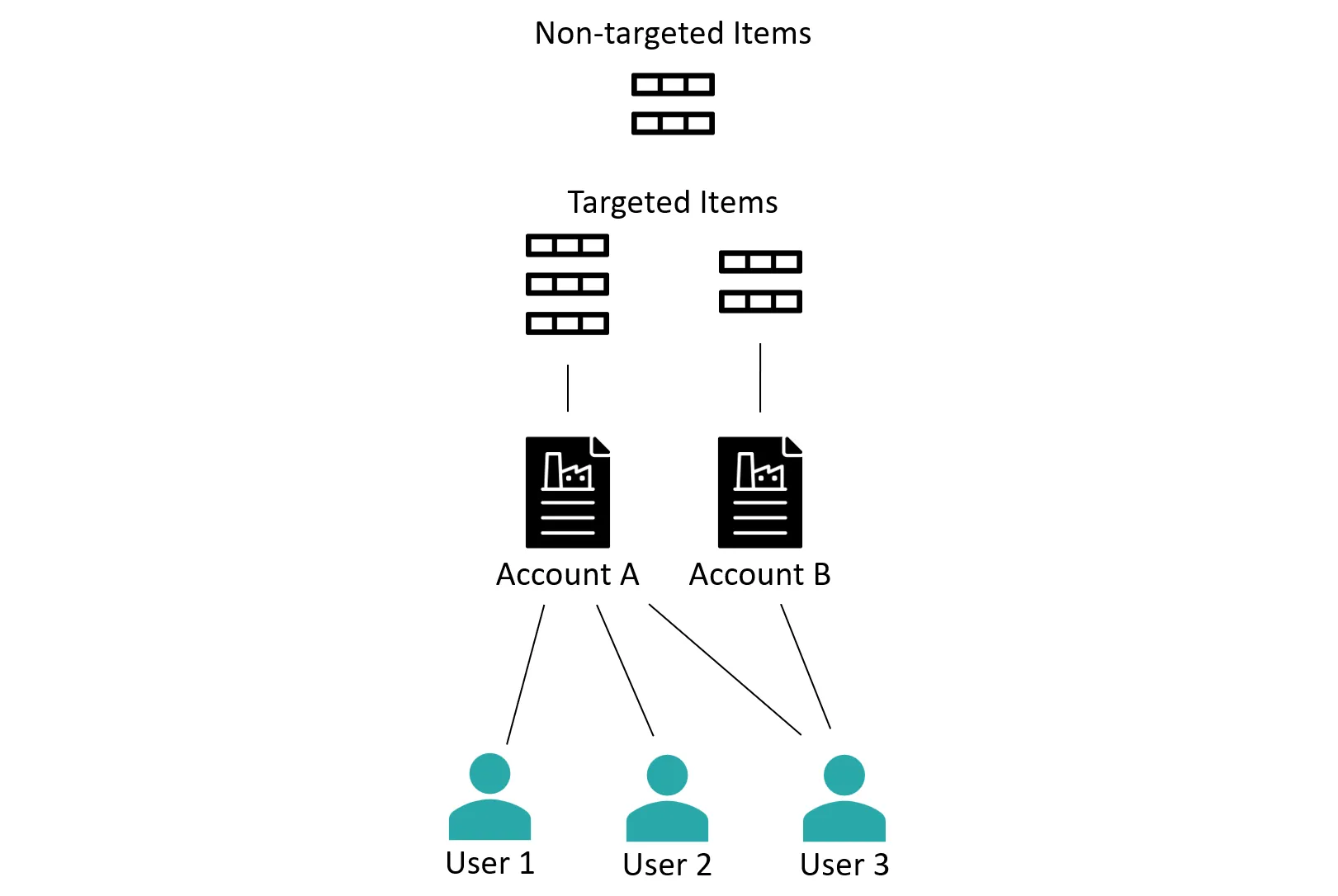
Data Items that is synchronized to Ainua Portal are typically specific to some company or other account in the back-office solutions. To allow a company’s (or other accounts) data Items to be accessed by many users, Ainua Portal has two-level identity structure. Companies (or other accounts) are known as Accounts, and individual persons related to accounts are known as Users.
One Account can have multiple Users, and single User can access multiple Accounts. When a User with multiple Account signs in to Ainua Portal client, he/she is prompted to select one of the Accounts.
Data can be entered in as targeted, or non-targeted Items. Non-targeted Items are available for all Users, and Items targeted to a specific Account are accessible only to the Users who are bound to the Account.
Profile
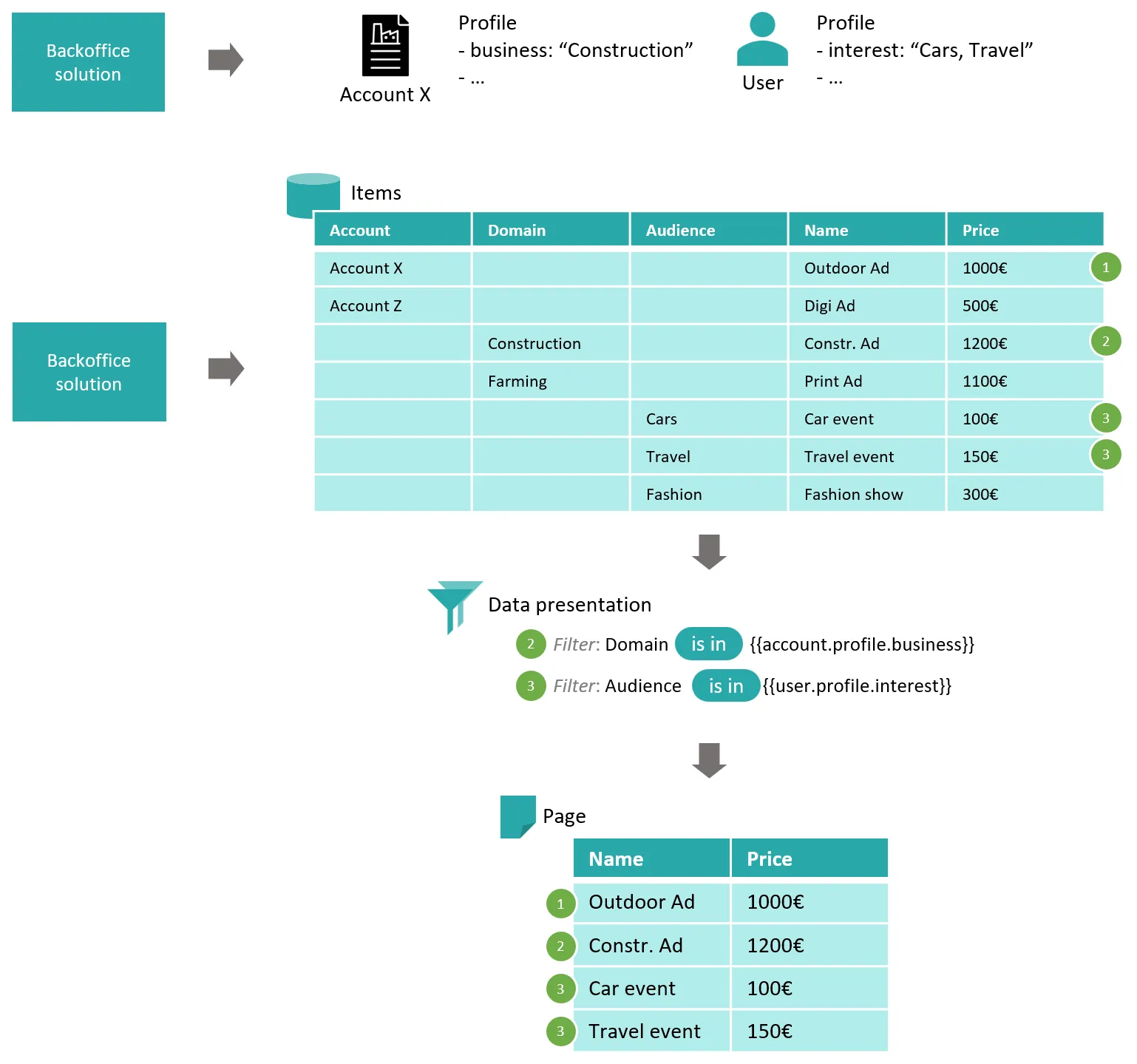
Both Accounts and Users can be extended with profile information originating from one or many back-office solutions. This profile can be used to define pages visibility, and as filters for data Items.
When profile is used in conjunction with data Items, in filters, the entire experience can be precisely personalized for each User.